
YOUR FOLDERS, ONE CLICK CLOSER
Folder Stacks for Windows 11.
Browse your folders, right from your Dock.
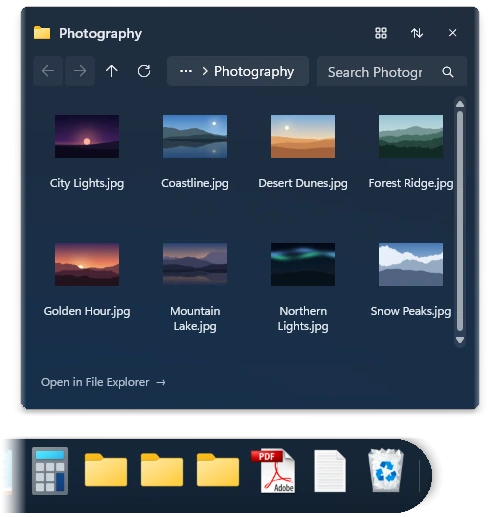
Pin your everyday folders to Dockvia and explore their contents without navigating through multiple File Explorer windows.
A MORE DIRECT WAY TO YOUR FILES
Your folders.
Within reach.
Keep your important folders close to the apps you use every day. Folder Stacks let you browse the contents of a pinned folder directly from Dockvia, so you can reach the item you need with fewer detours.
THREE SIMPLE STEPS
From folder to file,
without the detour.
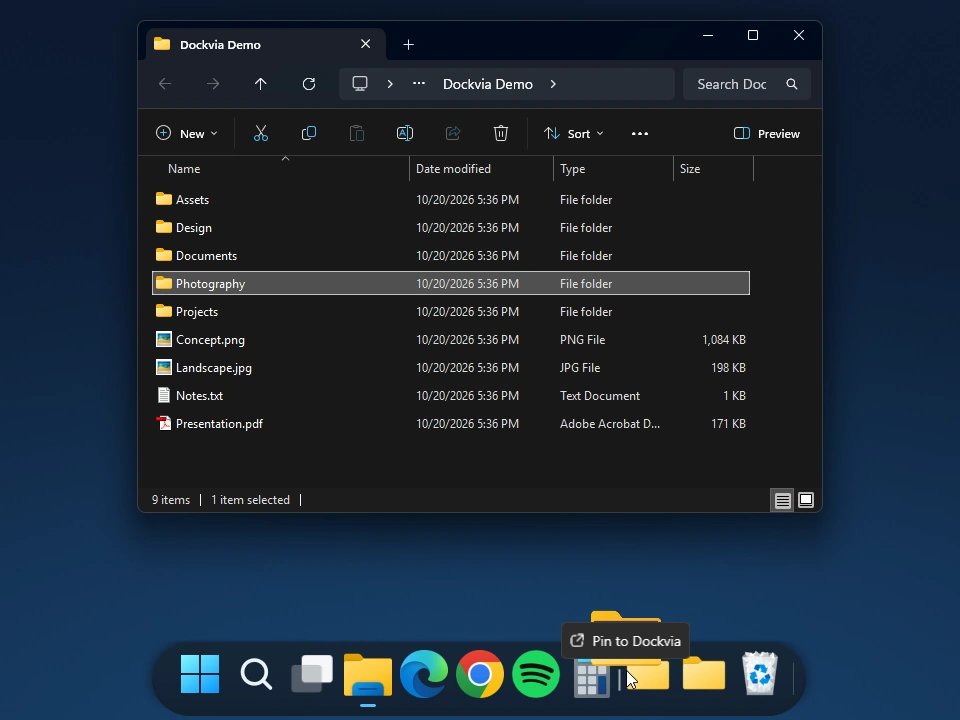
File Explorer → Dockvia View capture ↗ Pin a folder
Drag a folder from File Explorer onto Dockvia to keep it within reach.
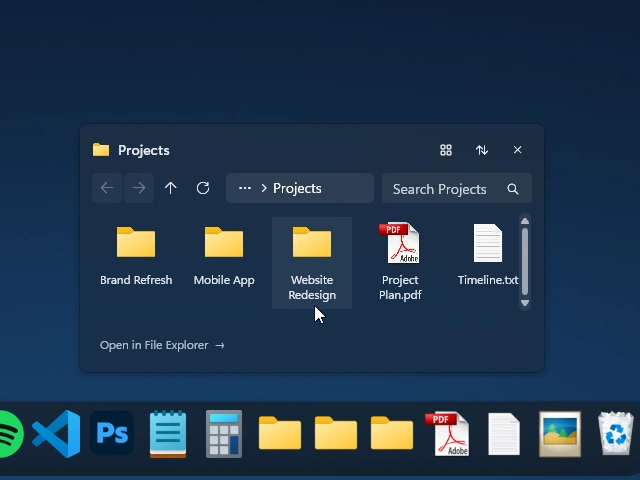
Inside the Projects stack View capture ↗ Browse its contents
Open the pinned folder's stack and explore the files and folders inside.
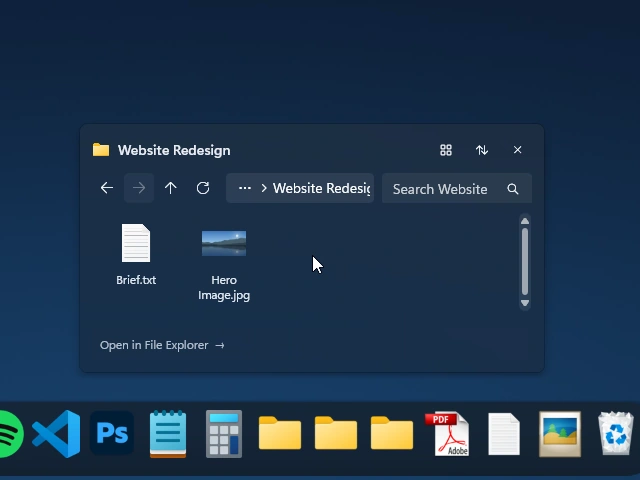
Website Redesign opened in the stack View capture ↗ Explore what's inside.
Select a subfolder to browse its contents directly within the stack.
ORGANIZED AROUND YOUR WORK
Made for the folders
you use every day.
From creative projects to everyday documents, Folder Stacks keep frequently used locations easy to reach.
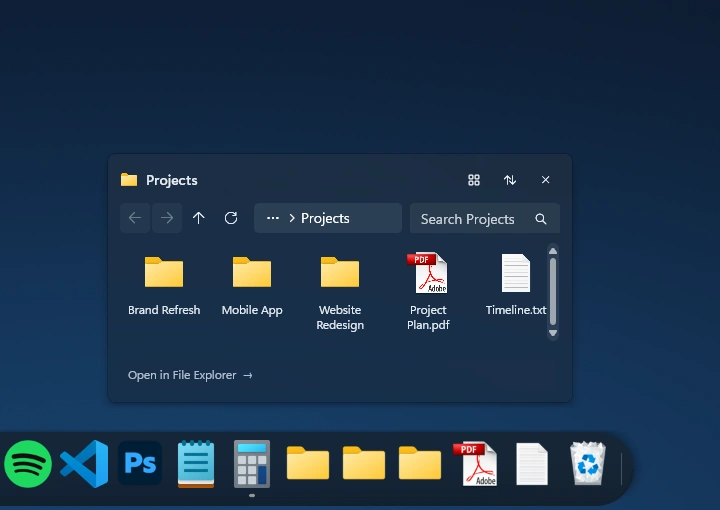
- Projects
- Keep your active project folders close while you move between applications.
- Design Assets
- Browse frequently used visual resources, references and working files from your Dock.
- Documents
- Reach everyday documents and organized folders without repeatedly navigating through Explorer windows.
BUILT WITH WINDOWS IN MIND
Built around the way Windows works.
Folder Stacks work with your existing Windows folders. Browse a pinned folder from Dockvia, then open an item from the stack.
Dockvia complements File Explorer rather than replacing it.
Read the Dockvia User GuideA FEW THINGS TO KNOW
Common questions.
What are Folder Stacks in Dockvia?
Folder Stacks let you browse the contents of folders pinned to your Dock, making frequently used files and folders easier to reach.
How do I add a folder to Dockvia?
Drag a folder from File Explorer onto Dockvia to pin it. You can then open its Folder Stack to browse the contents.
Do Folder Stacks replace File Explorer?
No. Folder Stacks provide a convenient way to reach folder contents from your Dock. File Explorer remains available for full file management.
What Windows version do I need?
Dockvia requires Windows 11 version 24H2 or later and an x64 PC.
YOUR WORKSPACE, MORE ORGANIZED
Keep your folders
one click closer.
Bring your everyday folders, files and favorite apps together with Dockvia for Windows 11.
 Get Dockvia on Microsoft Store
Try free for 15 days.
Windows 11 24H2+ · x64